

HCC coding software
HCC Coding Software
HCC Buddy's free HCC coding software includes an ICD-10 encoder, V28 mapping, a MEAT checklist, and a CMS-HCC V28 PY2026 RAF Calculator. Start with a code or diagnosis, then open the tool you need. No chart upload.
The free tier includes 3 code lookups each day.
What the free HCC coding tool does
The free HCC Buddy toolkit looks up an ICD-10-CM code and shows billable status, the CMS-HCC V28 and V24 mapping, and RAF context in one place. You get 3 code lookups each day, and no card is required to start. Open the encoder when you have a code, or use this hub to reach the RAF Calculator, ICD-10 to HCC map, and MEAT checklist from the same page.
| What you need | Free tool on this hub |
|---|---|
| Look up a code | HCC encoder, 3 lookups each day |
| ICD-10 to HCC mapping | V28 and V24 shown with the code |
| RAF impact | CMS-HCC V28 PY2026, complete member context required |
Built for the coder who starts with a code
If you usually Google a code, check a CMS crosswalk, then open a calculator, start with the free HCC encoder instead. Search the ICD-10-CM code once and see the HCC mapping, billable status, RAF context, notes, and code path together.
HCC Buddy keeps the common risk adjustment checks close by: ICD-10 to HCC mapping, CMS-HCC V28 code lookup, RAF, MEAT, NPI, drug reference, and current coding guidelines.
Which tool should I open?
Free HCC Encoder
Search ICD-10-CM codes with billable status, code path, and live HCC mapping for V28 and V24 models.
Open ToolRAF Calculator
Enter complete member context for CMS-HCC V28 Payment Year 2026. No score is shown unless the required source and calculation checks pass.
Open ToolNPI Provider Lookup
Search NPPES registry records by name or NPI number. Filter by state and review the available provider details.
Open ToolDrug Reference
Look up medications and their associated ICD-10 diagnosis codes. Useful for identifying codeable drug-condition relationships from the medication list.
Open ToolMedication Linker
Paste a medication list and a condition list. Each medication links to the listed conditions it is FDA-approved to treat, primary uses first. Off-label uses never link.
Open ToolEvidence Checker
Paste deidentified chart wording to review Strength of Evidence, MEAT support, risk flags, and missing documentation.
Open ToolAsk Buddy
Ask code-specific HCC coding questions from the Encoder and review the answer while the code context stays on screen.
Open ToolCMS Coding Guidelines
Search the ICD-10-CM Official Guidelines for Coding and Reporting. Resolve Excludes1/Excludes2, sequencing, and chapter-specific rules.
Open ToolThe free tier includes 3 code lookups each day. Pro starts with a 7-day trial and no card is required.
Scope before signup
What the HCC coding toolkit includes
Use this list to decide whether you need a focused risk adjustment toolkit or a larger coding operation.
Included
- ICD-10-CM encoder with billable status and code path
- V28 and V24 HCC mapping with RAF context
- CMS-HCC V28 PY2026 RAF Calculator, MEAT guidance, NPI lookup, and coding references
- Chrome extension and the same tools on the web
- Walkthrough videos using real HCC Buddy screens
Outside this toolkit
- Claims processing and claim submission
- Enterprise CDI queues or coding-department reporting
- A vendor-specific EHR integration contract
- A replacement for the coder’s documentation review
Compare the workflow
What to check before you choose HCC coding software
Product pages rarely define the same terms the same way. Run a familiar code, then compare what is included and what costs extra. HCC Coder lists Standard at $515/user/year and Pro at $750/user/year (prices checked 2026-09-04 on HCC Coder's pricing page). HCC Buddy's own prices are on /pricing: $29.99 $19.99/mo founder price or $199.99/yr.
| What you need | HCC Buddy | What to verify elsewhere |
|---|---|---|
| HCC mapping | V28 and V24 shown with the code | Check whether mapping is included or sold separately. |
| RAF work | CMS-HCC V28 PY2026 with complete member context | Check the model year, inputs, and included coefficients. |
| Browser workflow | Web app plus Chrome extension | Check whether a separate desktop workflow is required. |
| Try before paying | 3 free lookups daily, then 7 days of Pro with no card | Check card terms and which features the trial includes. |
| Monthly price | $19.99/mo founder price (originally $29.99/mo), or $199.99 a year | Check add-ons, seat minimums, and annual terms. |
Tool walkthroughs
See the tools before you open them
These short videos use real HCC Buddy screens, real tool results, and plain-language steps for coders who want to see the workflow first.
Suite Overview
What Is HCC Buddy?
A quick overview of HCC Buddy tools for code search, HCC mapping, Ask Buddy, Code Book, and provider lookup.
Watch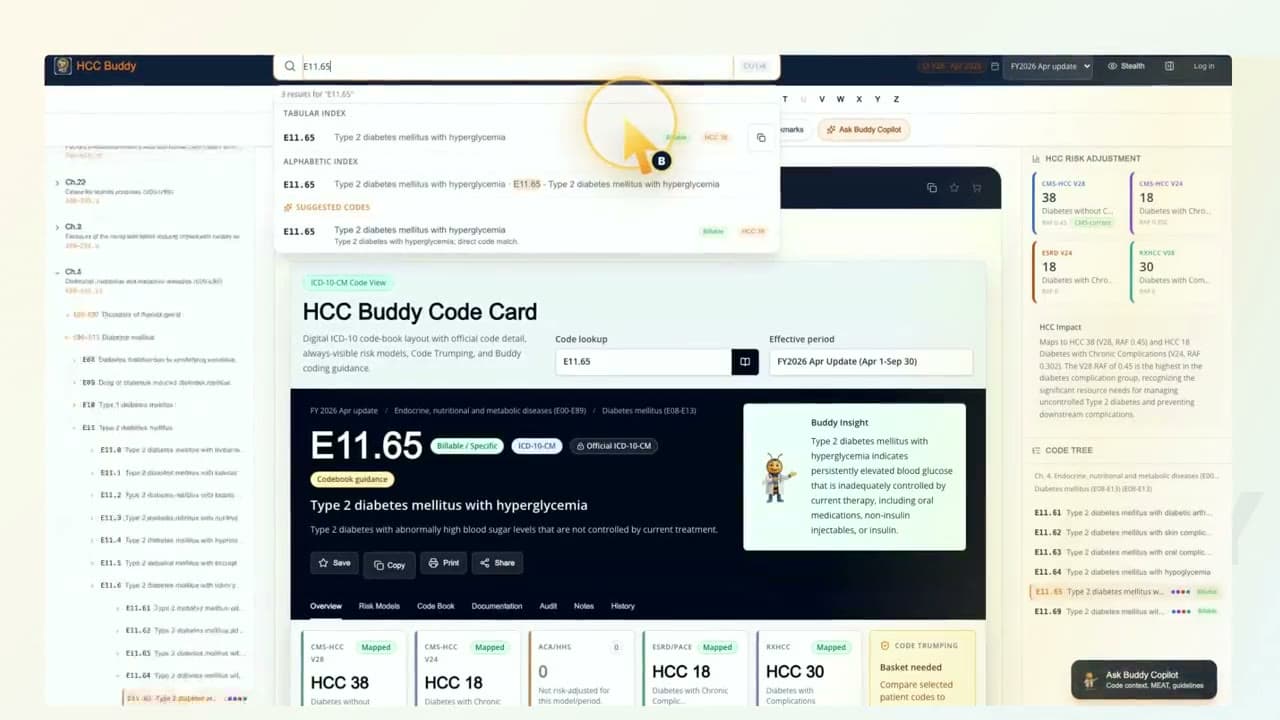
Encoder
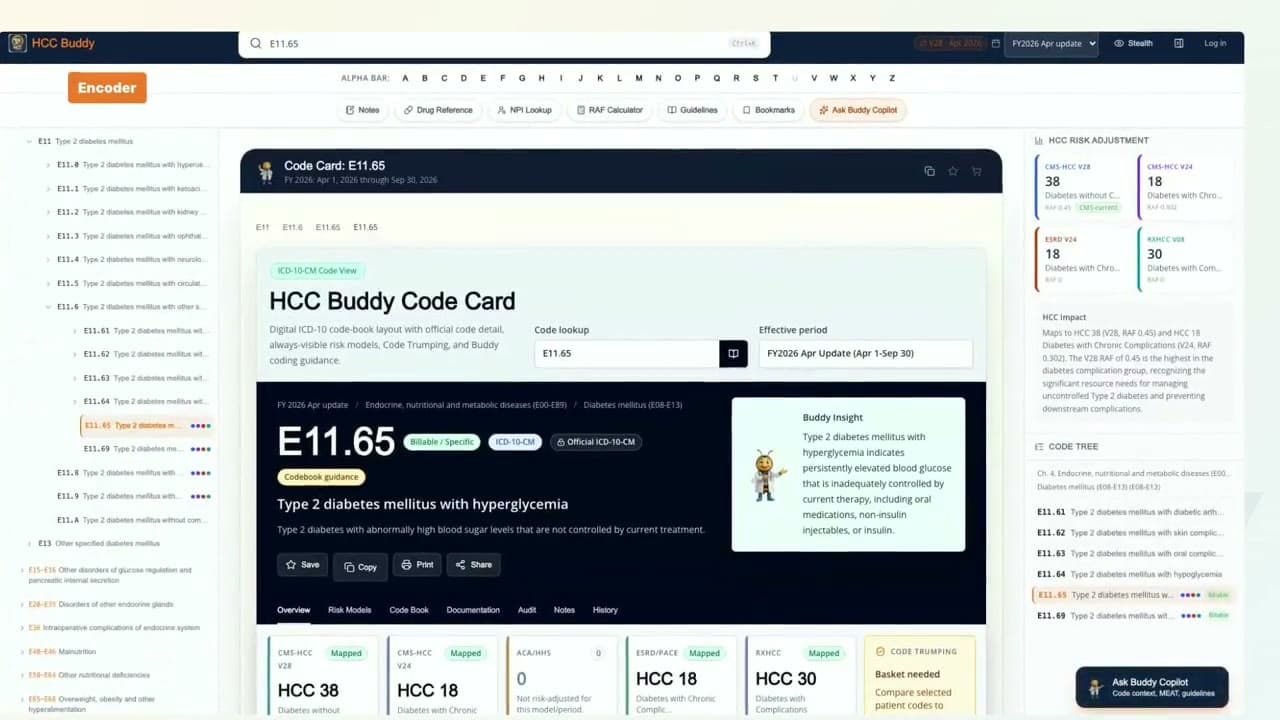
From ICD-10-CM Search To HCC Mapping
See how HCC Buddy searches E11.65 and keeps billable status, HCC mapping, risk score context, and code path in one view.
Watch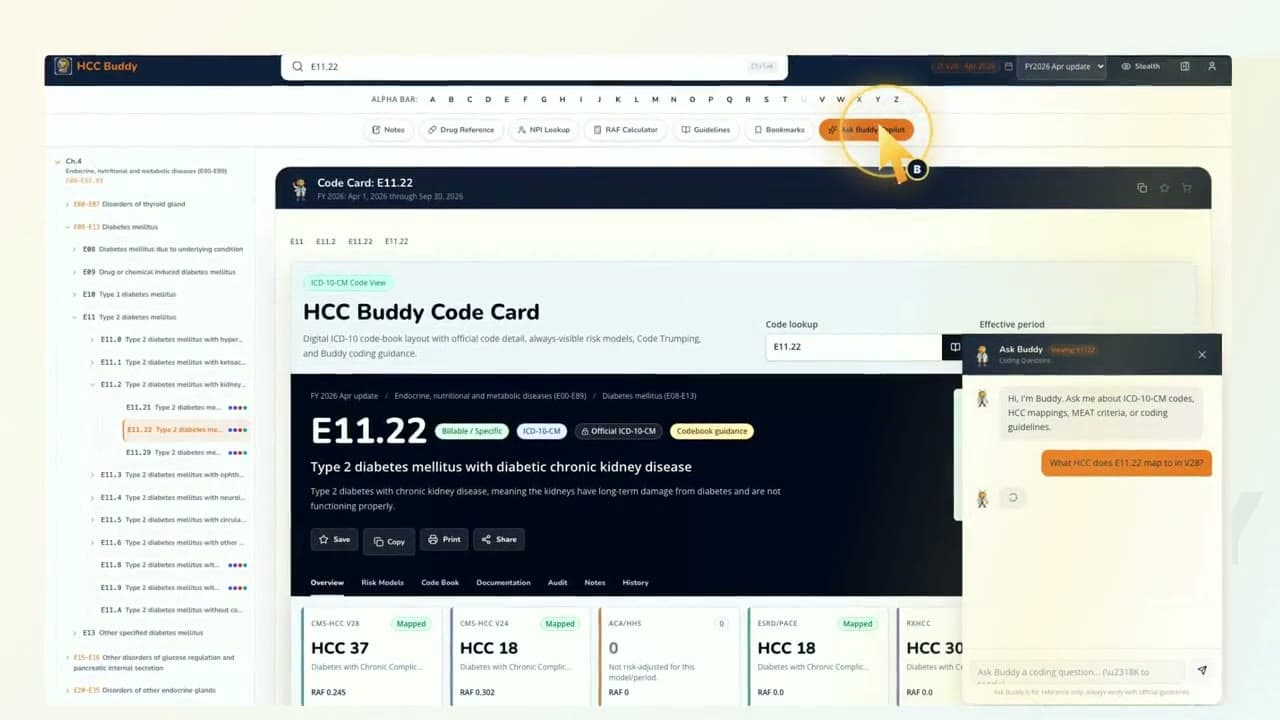
Ask Buddy
Ask Buddy With The Code Card Open
Watch Ask Buddy answer a code-specific HCC question while the E11.22 code card stays visible.
Watch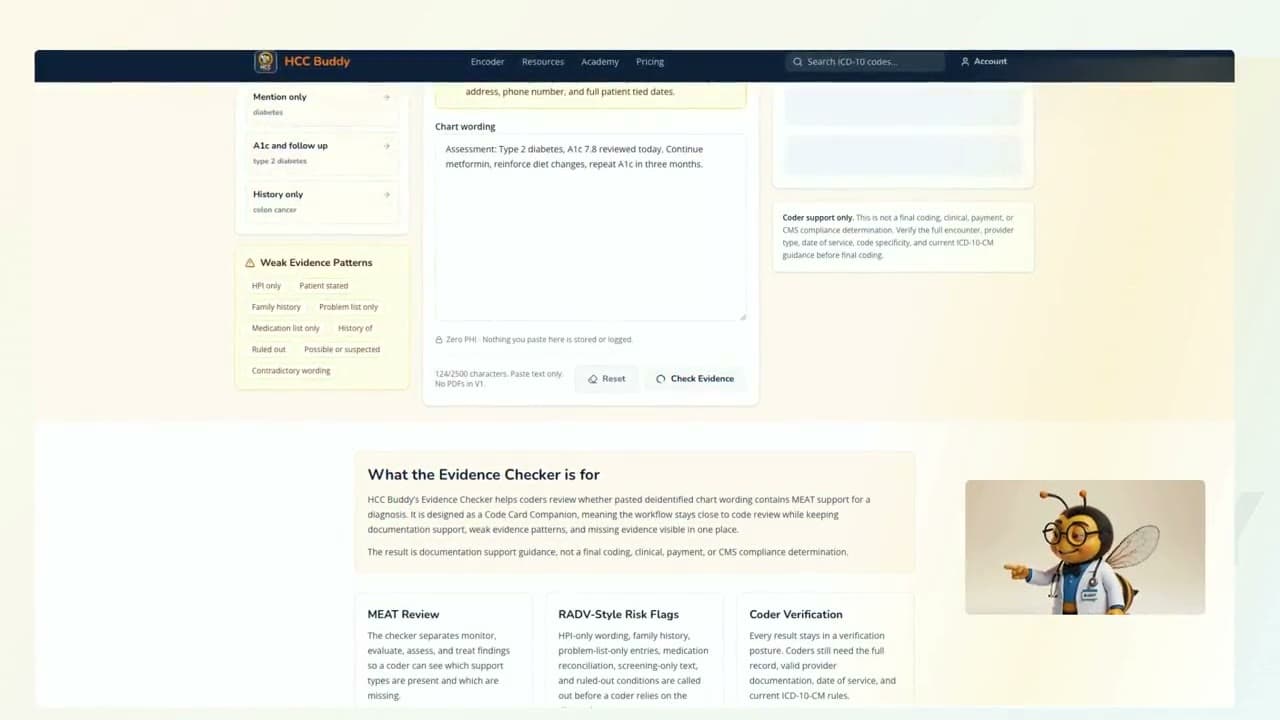
Evidence Checker
Can This Diagnosis Hold Up?
Use Evidence Checker with safe deidentified wording to review MEAT support, risk flags, gaps, and coder summary.
Watch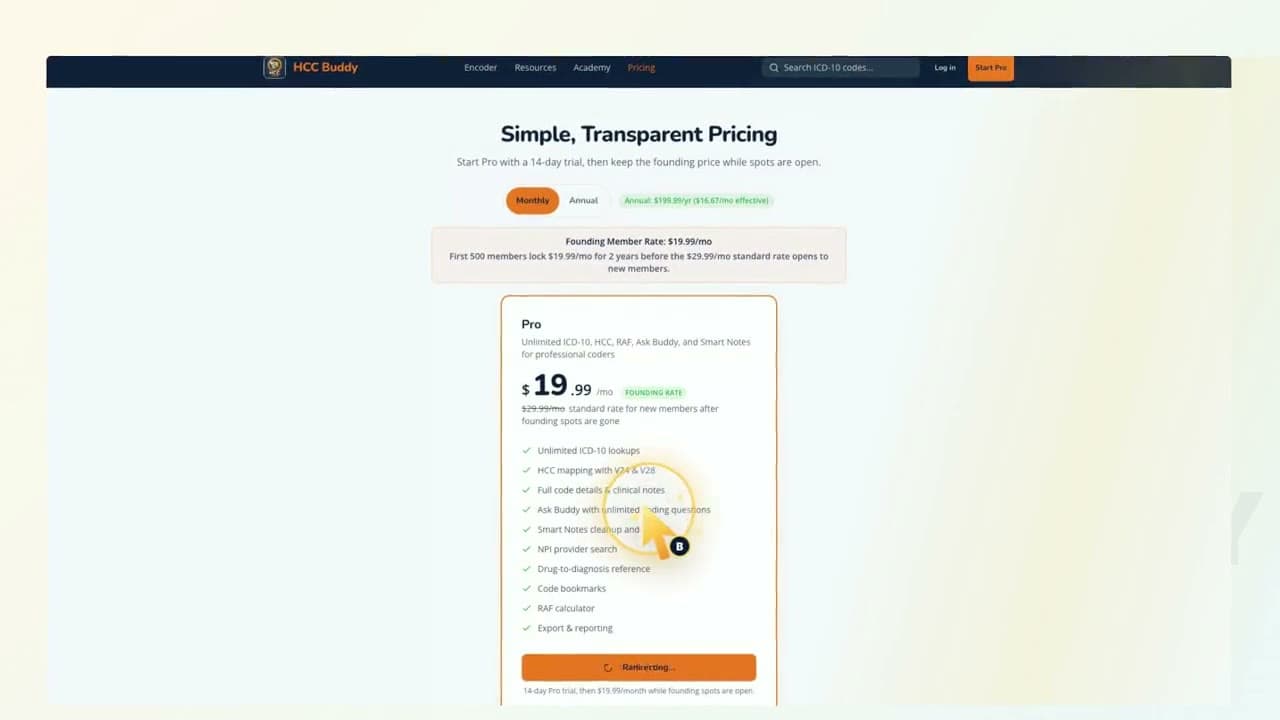
Start Pro
Start Pro Without Getting Lost
A simple walkthrough from HCC Buddy pricing to signup and the first tool screen.
Watch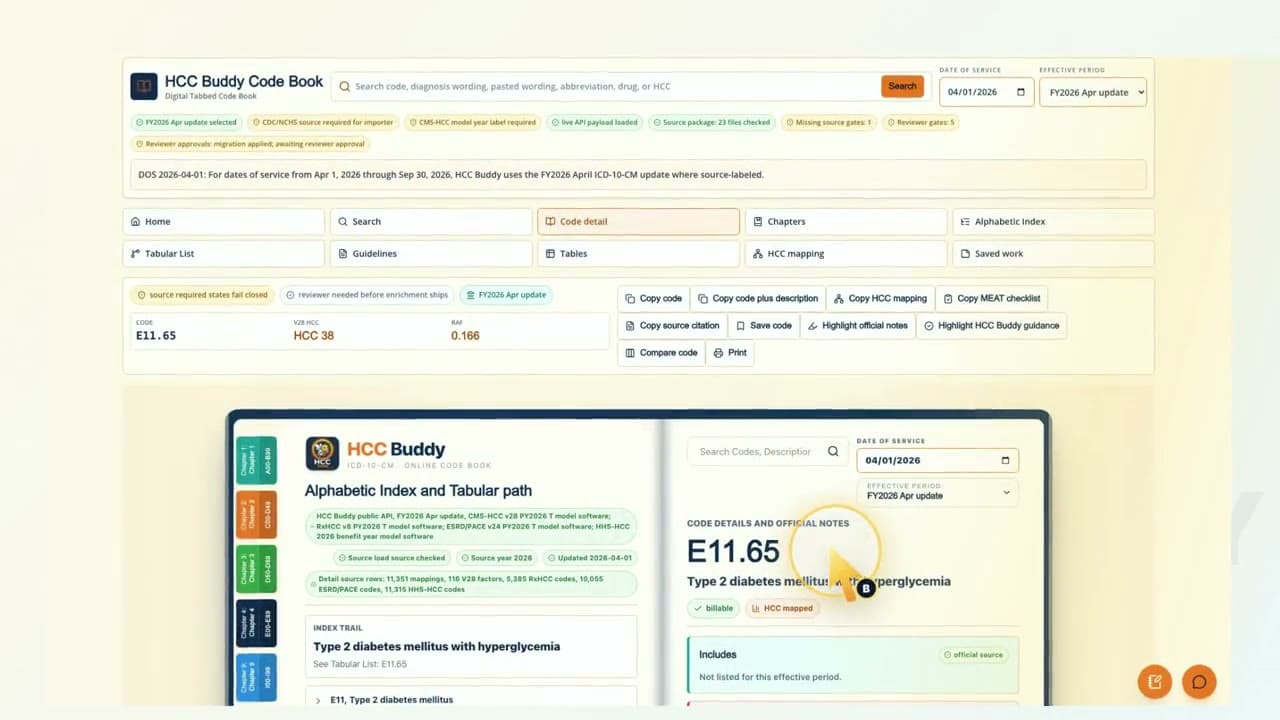
Code Book
Code Book In 30 Seconds
Open a real HCC Buddy Code Book page with code details, source labels, code path, and HCC mapping nearby.
WatchHow these tools work together
The workflow these tools support follows the order a coder actually works in. Chart review surfaces a diagnosis, such as a documented chronic kidney disease with a GFR value in the current encounter note. The coder opens the ICD-10 encoder to confirm the exact code (N18.4 Stage 4, not N18.9 unspecified) and check the V28 HCC mapping live. The encoder shows whether the code maps to an HCC category and the CMS-HCC V28 PY2026 calculator.
From there, the RAF Calculator requires complete member context and shows no score unless the required source and calculation checks pass. If the chart lists a medication without a paired narrative diagnosis, the drug reference surfaces the ICD-10 codes that drug typically treats, giving the coder a query target rather than a silent miss.
The NPI lookup validates that the ordering or attending provider on the encounter is an acceptable provider type for risk adjustment data submission. RADV auditors perform this check on every sampled chart. When a rule is ambiguous, such as sequencing, Excludes1/Excludes2, or chapter-specific convention, the CMS guidelines library resolves it against the current ICD-10-CM Official Guidelines text rather than a forum thread.
Why these tools, and not an enterprise encoder
Risk adjustment coding does not need ten features poorly; it needs focused tools done well and kept current. Enterprise encoders bundle claims scrubbing, CDI workflows, and reporting modules that an individual coder never touches, and they price accordingly. HCC Buddy keeps the encoder, RAF Calculator, evidence checker, NPI lookup, Ask Buddy, drug reference, and guidelines under a single subscription. HCC mappings and source-labeled coefficient references are rebuilt directly from the CMS-HCC risk adjustment model software published on the CMS Medicare Advantage Risk Adjustment page. Those code-level coefficients are references, not member totals. The product is built and maintained around HCC coding work, not general-purpose SaaS workflows.
Frequently asked questions
Is there a free HCC coder tool available?
Yes. HCC Buddy's encoder is a free HCC coder tool. Search an ICD-10-CM code and it shows billable status, the CMS-HCC V28 and V24 mapping, and RAF context together, with 3 lookups each day and no card to start. The free RAF Calculator and the ICD-10 to HCC map are on this same hub. Pro starts with a 7-day trial when you need more than 3 lookups a day.
What tools do HCC coders need most?
Start with an ICD-10-CM encoder and HCC mapping. A complete toolkit also needs RAF scoring, a MEAT checklist, NPI lookup, coding guidelines, and a place to work through code-specific questions. HCC Buddy's RAF Calculator supports CMS-HCC V28 PY2026 with complete member context and shows no score unless every required check passes.
Is HCC Buddy an encoder or a full coding platform?
HCC Buddy is a focused risk adjustment toolkit. The encoder is the starting point, with NPI lookup, Ask Buddy, drug reference, coding guidelines, and the RAF Calculator nearby. The Chrome extension keeps lookup tools beside a browser workflow. It does not include claims processing or a full enterprise coding operation.
Can I use the HCC coding tools for free?
Yes. The free tier includes 3 code lookups each day. Pro starts with a 7-day trial, and no card is required. Pro is $19.99/mo founder price (originally $29.99/mo) or $199.99 per year.
Are the HCC coding tools made for individual coders?
Yes. One coder can use the website, the Chrome extension, and the same monthly plan without an enterprise contract. Teams can compare options separately on the pricing page.
Which CMS-HCC model does the encoder use?
The encoder shows current CY2026 V28 mapping and keeps PY2025 V24 separately labeled as a historical reference. The RAF Calculator returns CMS-HCC V28 PY2026 results only; it does not calculate a current V24 total.